Add Events
What is event?
Events are something which gives us the summary of a whole chat or conversation , without reading the whole chat. Basically these are some kind of tags which we add in our workflow nodes to see what is going on without reading the chat.
How to create an event?
- We can create events from the dashboard.At first we have to open the bot builder and go to the Events option where we can create new event by clicking on the Add Event button.
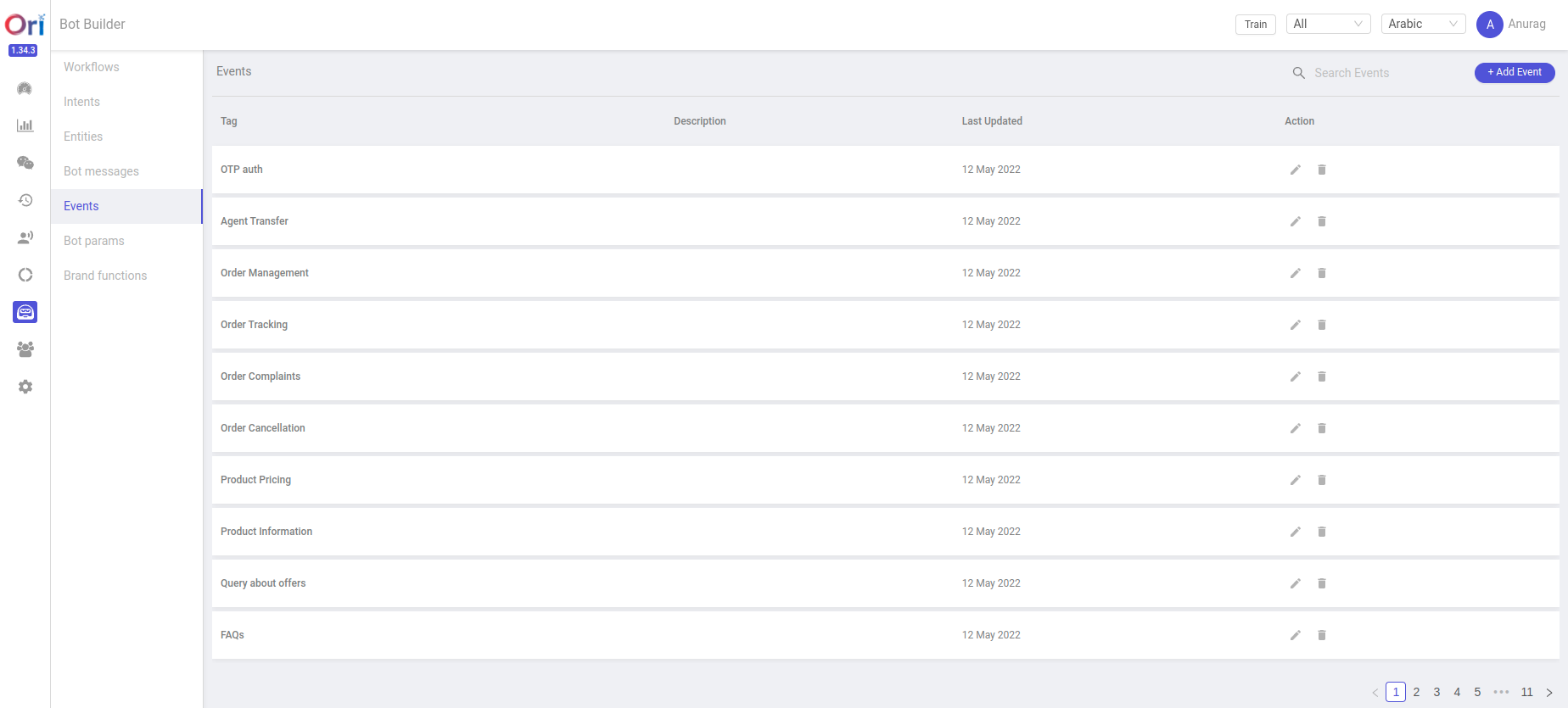
- After clicking on Add Event we can see the screen like below , where we can create a new event.
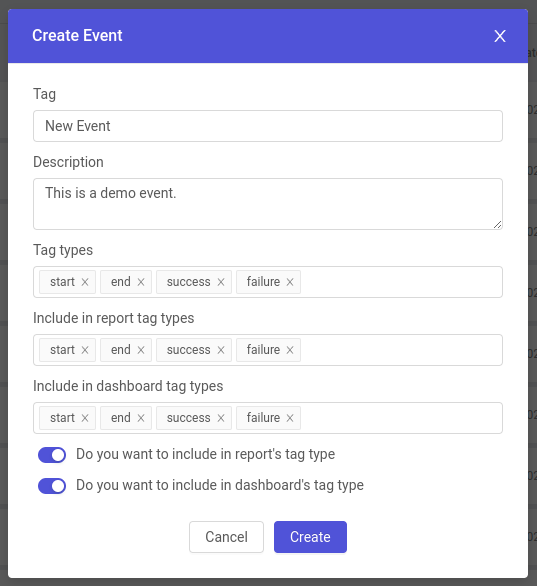
- Firstly we have to add the name in the Tag field.(Ex. New Event) & then we can add some description about the event.Then we can choose the event tag types as per the requirement like start,end,success & failure.We can select tags and types of the events, and always turn on two features if you want events to be tracked by dashboard.
How to use Events?
We can use events in 3 ways in our bots.
- By Adding Events in Intents
- By Adding Events in workflow nodes
- By adding events in code
Adding Events in Intents From Dashboard.
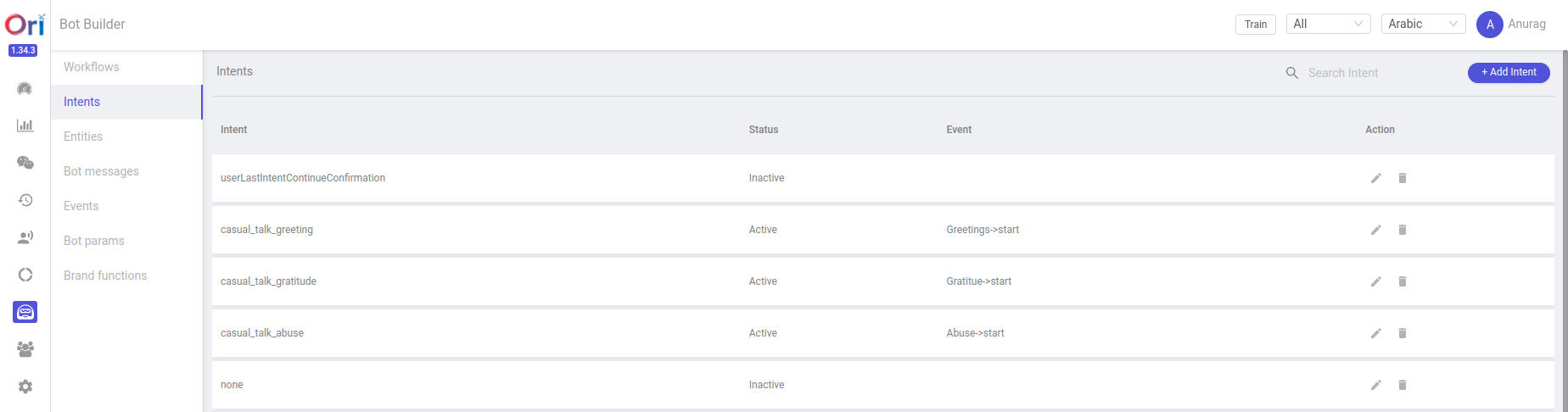
- To add events in intents we have to open the bot builder and then go to the Intent and open any intent where we have to add an event.
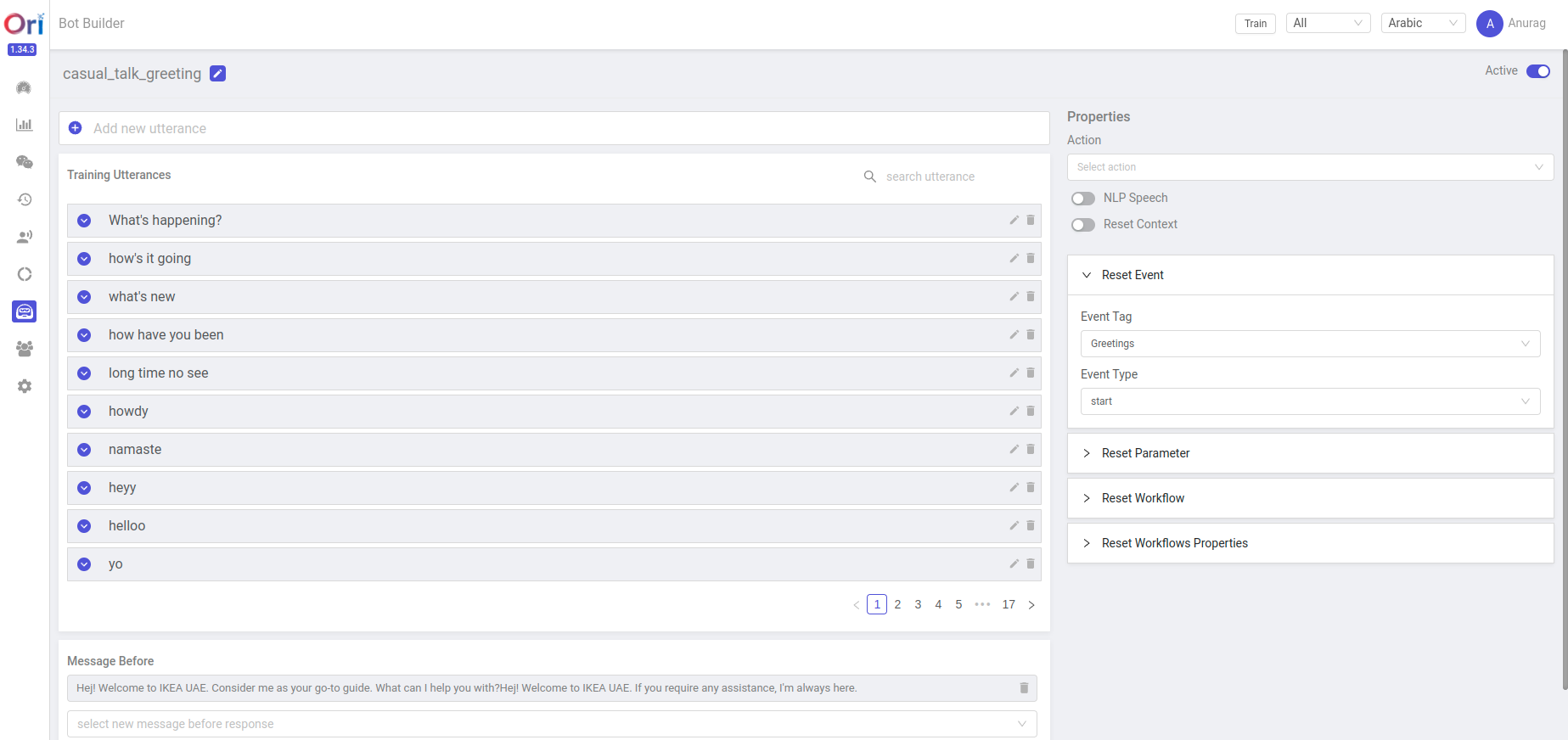
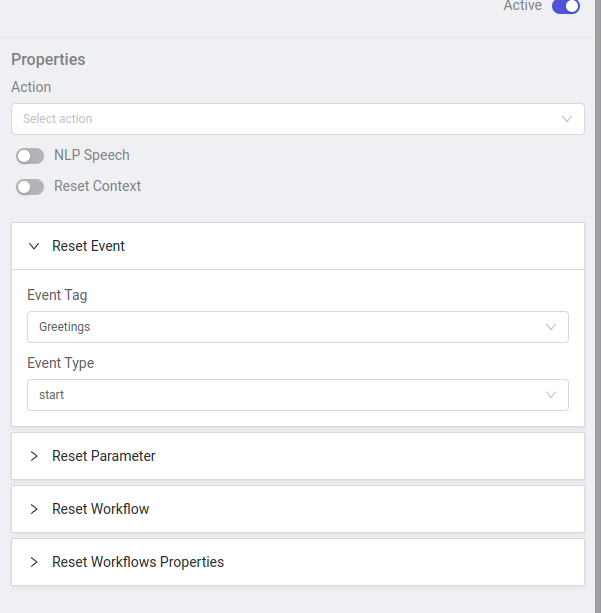
- After that we can see the dropdown of Reset Event where we can select the already created event in Event Tag & also select the type of event in Event Type, like here the event is Greetings and event type is start.
Adding Events in Workflow nodes from Dashboard.
- To add events in workflow nodes, first we have to open the bot builder and go to the workflow.
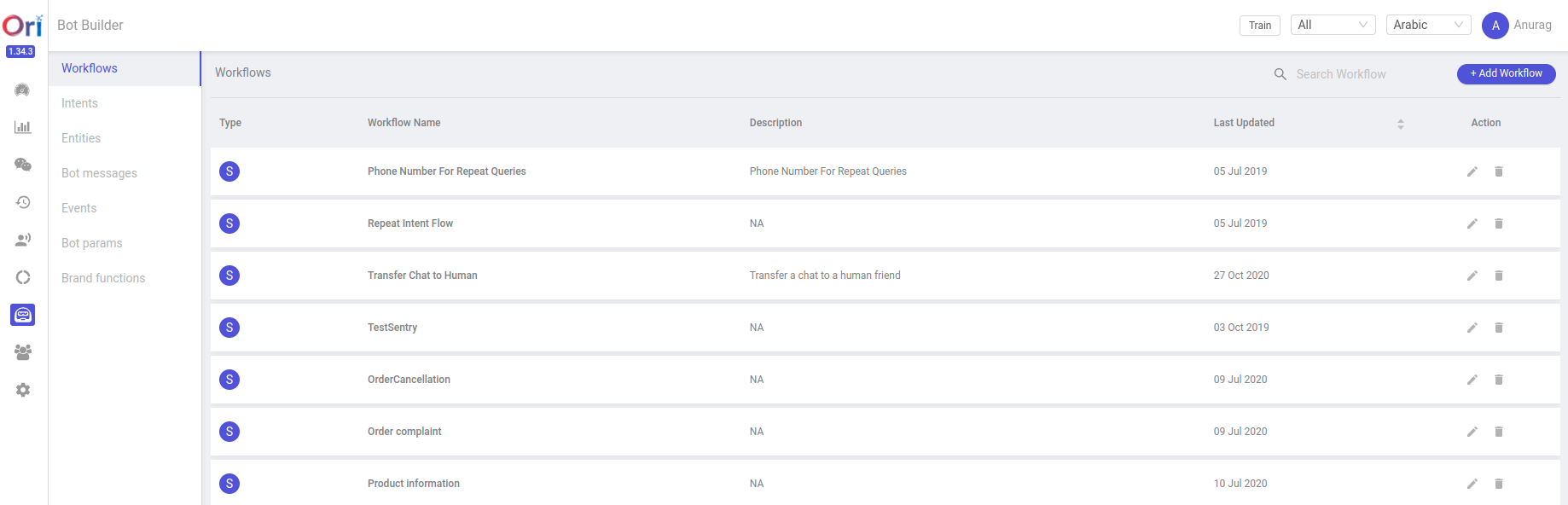
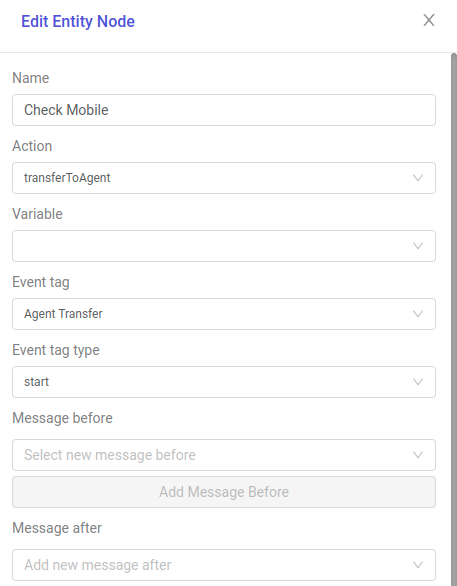
- After that we have to open any workflow where we have to add events on required nodes, like here we can see after opening the check mobile node there is an event tag named Agent Transfer and the event tag type is start that means when the flow comes on this node then Agent Transfer event should trigger.
Adding Events in code ( custom events )
- We can add events from the code also by using a simple function.
const addingEventTags = async (session_doc, tag, type, description) => {

   await update_tags_in_db(session_doc, {
       type: type,
       tag: tag,
       level: 'custom',
       description: description,
   });

   return
}
Here simply we are creating a function named addingEventTags, where we are passing some parameters like session_doc, tag, type & description. In this function we are adding the type, tag(event name),level & description to update into db.
Whenever we call this function with these parameters, it will add the event with its type and description like the below code where we are passing “Order Tracking” as an event name , “Failure” is the event tag type and “There were no track orders found” is the description of the event.
await addingEventTags(session_doc, 'Order Tracking', 'failure', 'There were no track orders found')
Events in DB.
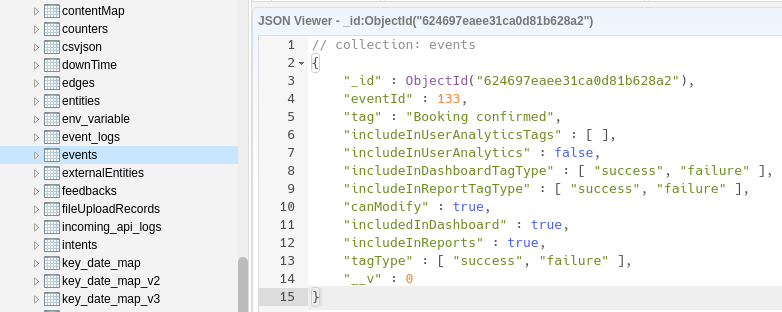
If we open the db then we can see a collection named events.
When we create any event in the dashboard it then will stored into the events collection like this.
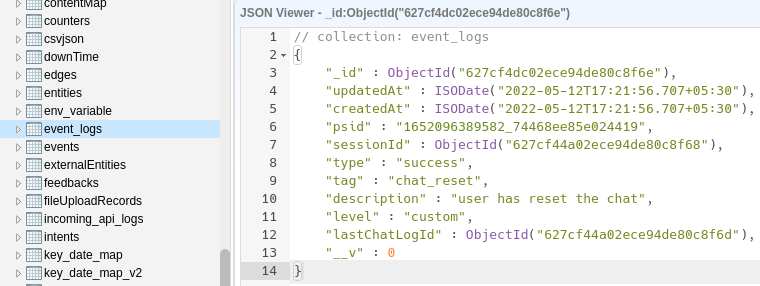
Now if we want to see the log of events, which events are triggered during the flow. Then we can simply check it into the event_logs collection.
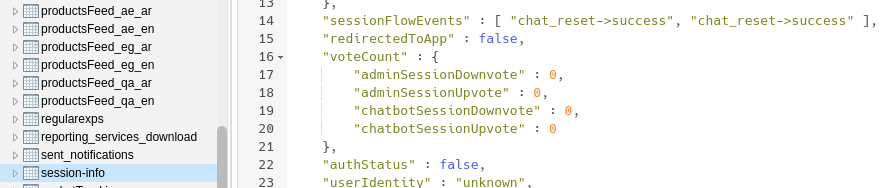
- Otherwise we can see this in the session-info collection’s sessionFlowEvents array.
Use case of events
As we discussed before, that event is mainly used to get the summary of the whole conversation without reading the whole chat.
This is used for live agents, before talking to the customer/user the agent can get an idea about the chat from the Bot events.