Automated_region_setup
This document gives you brief understanding aboutthe region setup, that we have done through Terraform.
We have created the Jenkins Job to
plan and applythe terraform script.While triggering the jenkins job, we need to pass some values to the script like, Cidr ranges, Names, Region e.t.c.
First lets us see, what are the resources that are creating through terraform for region setup.
VPC
PUBLIC_SUBNETS
PRIVATE_SUBNETS
SECURITY_GROUPS
PRIVATE_ROUTE_TABLE
PUBLIC_ROUTE_TABLE
INTERNET_GATEWAY
ELASTIC_IP'S
NAT GATEWAY'S
S3 BUCKET
SNS TOPICS,
JENKINS_INSTANCE
BASTION_INSTANCE
OPENVPN_INSTANCE
DNS
- for jenkins with the domain name of
jenkins-{region_name}.oriserve.com
- for jenkins with the domain name of
STEPS TO CREATE INFRASTRUCTURE IN A NEW REGION
- Log in to jenkins.
- Check for view
IaaSthen go theIaaS->Terraform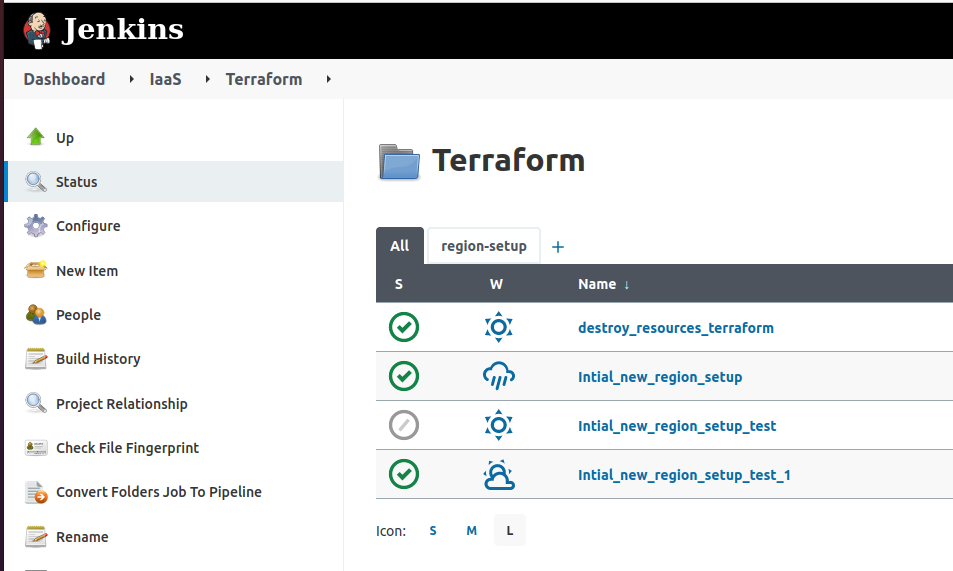
- In the above image/location, you can find the job
Intial_new_region_setup - select the job and provide the necessary values that are needed to create the infra.
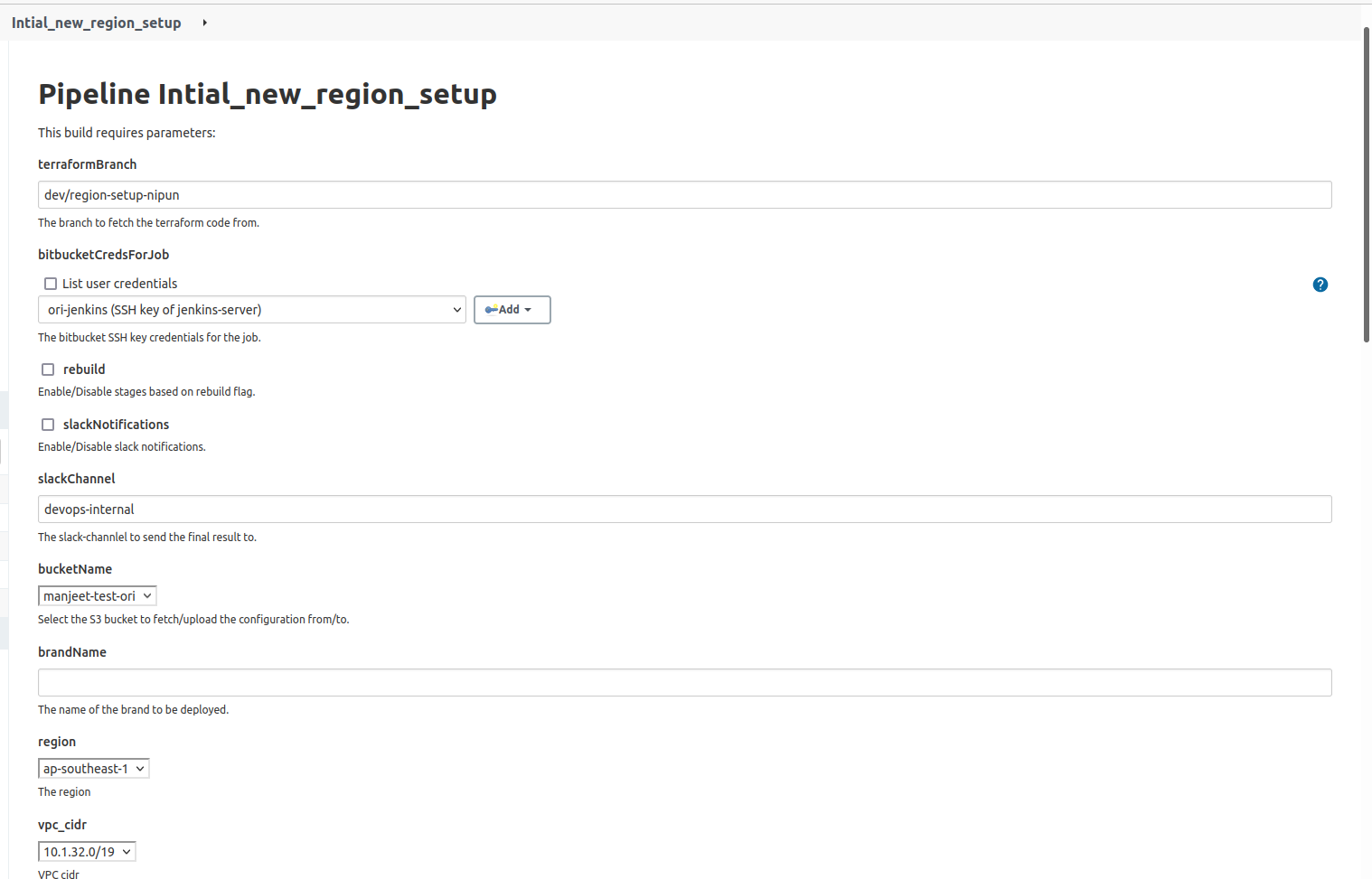
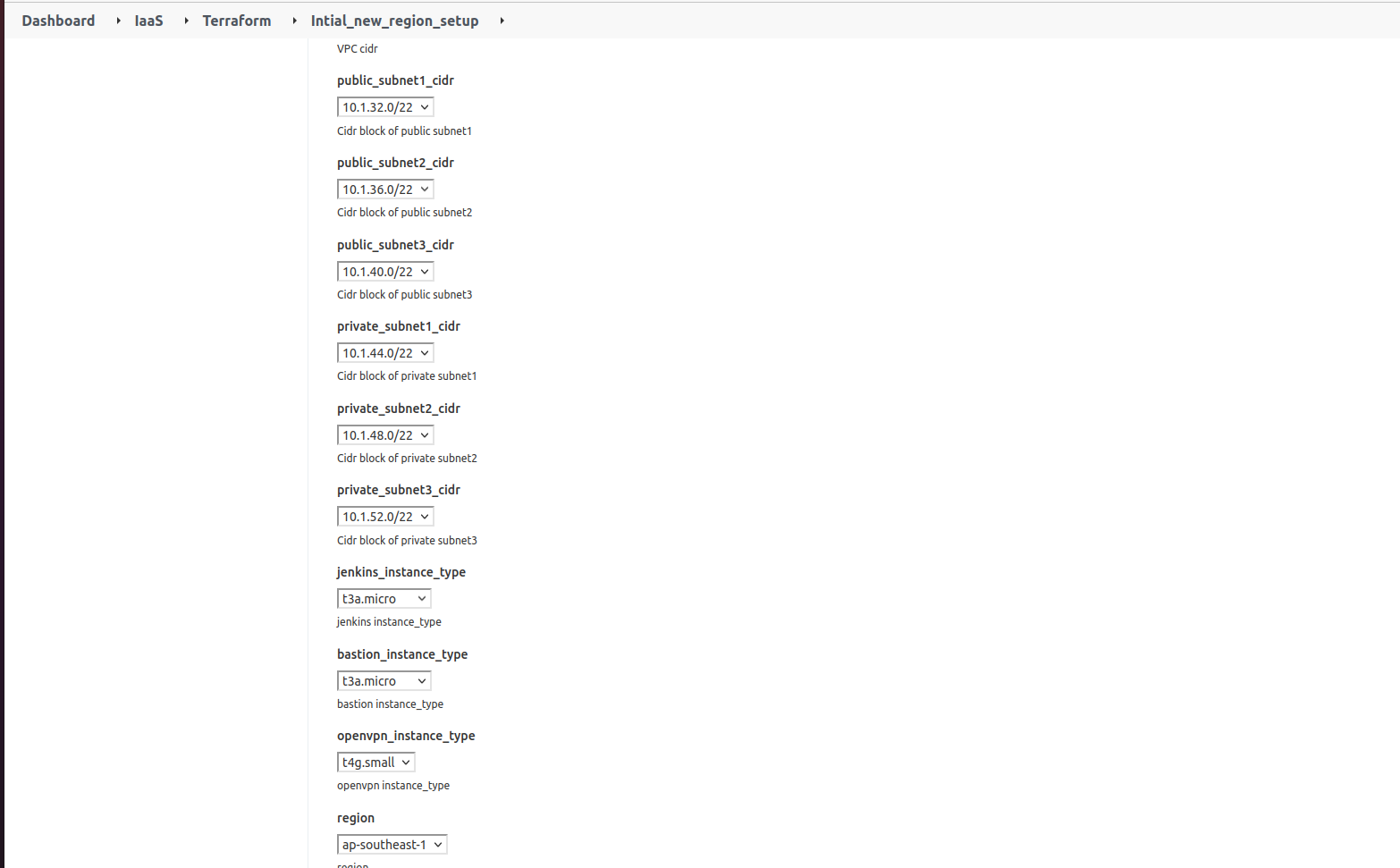
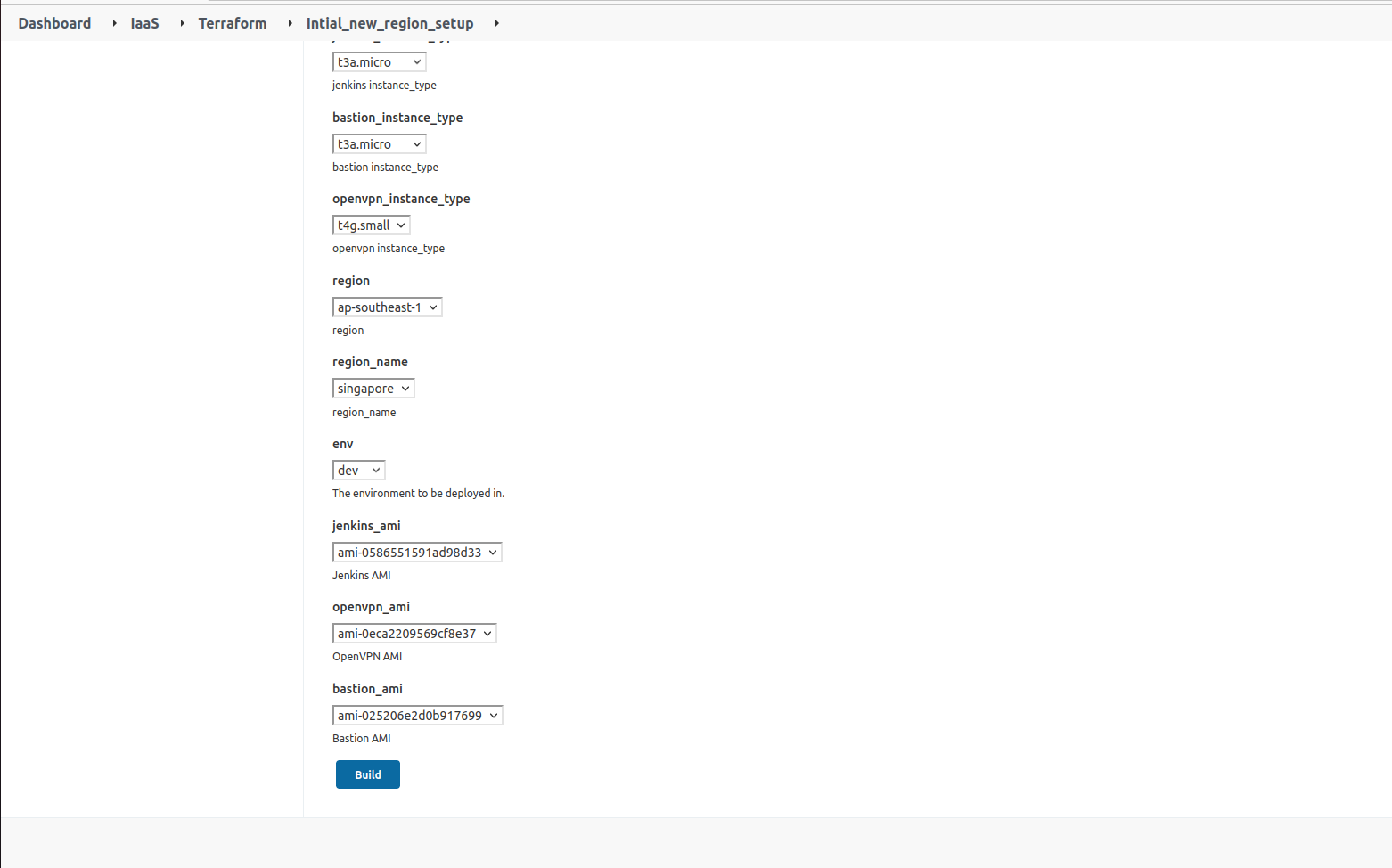
In the above images, all values are only for reference. Change those values according to the requirement.
By default, bucket will be
manjeet-test-ori. If you want to contact the DevOps Lead.Along with with
bucketNameverify and provide the value ofbucket_regionfrom DevOps Lead.The
brandNameis to differentiate your every build, and store all the files of current Build.- For example, bucket_name is
manjeet-test-oriand brandName isoriserve15, then the path that files will be stored ats3://manjeet-test-ori/Terraform/templates/oriserve15/Development/.
- Files, that present at this location will be used to destroy the infrastruce that created by this job in future.
- For example, bucket_name is
regionoption is code of region you want to create the infrastructure. This is the region-code.NOTregion name.In the above reference,
regionisap-southeast-1region_nameis the name of region, you want to create the infra.
In this reference,
region_nameissingaporeFor
Instance_types,Instance_ami's,Cidr_blockscontact the DevOps Lead for confirmation.- In this doc,
- Jenkins_instance_type - `t3a.micro`
- openvpn_instance_type - `t4g.small`
- bastion_instance_type - `t3a.micro`- These values are subjected to change according to the region. While selecting the type, contact the DevOps-Lead.
- In this doc,
While selecting the
Instance_ami's, copy the ami from the existing region to desired region.- Example. copy the ami from
mumbaitosingapore
- Example. copy the ami from
While choosing the
cidr_blockscontact to the DevOps-Lead. Make sure that cidr_blocks are not overlapping in region.After giving all desired & appropritate values, start the job.
For Create apply, JenkinsAdministrator/DevOpsLead should approve.
It will take the 40 minutes to get success the job.
After getting SUCCESS , pem key which is required to login into instances is at
workspaces
Verify the jenkins server by browsing the jenkins domain name :
jenkins-region_name.oriserve.comMake sure, SSL also enabled.
STEPS TO DESTROY THE CREATED INFRASTRUCTURE
danger
- DONT PERFORM THIS ACTION UNLESS IT IS MANDATORY
- Before triggering this action, get the strong confirmation from
DevOpsLead only
- In this section, we will see steps to destroy the created infrastructure at above.
- Log in to jenkins.
- Check for view
IaaSthen go theIaaS->Terraform
- In the above image/location, you can find the job
destroy_resources_terraform - select the job and provide the necessary values that are needed to destroy the infra.

- In the above image, provide the
brandNamethat you given while creating the infra. - S3 location that specified at starting about the files storing, you will find the file
destroy_this.zip. Mention the URI of this file in thes3PathToDestroThisZipfield.
- After providing the all necessary values,start the build.
- For Destroy apply, JenkinsAdministrator/DevOpsLead should approve.